Save Core Amore as an App
You can add Core Amore to your home screen, just like a real app. One tap and you're training, no browser needed.
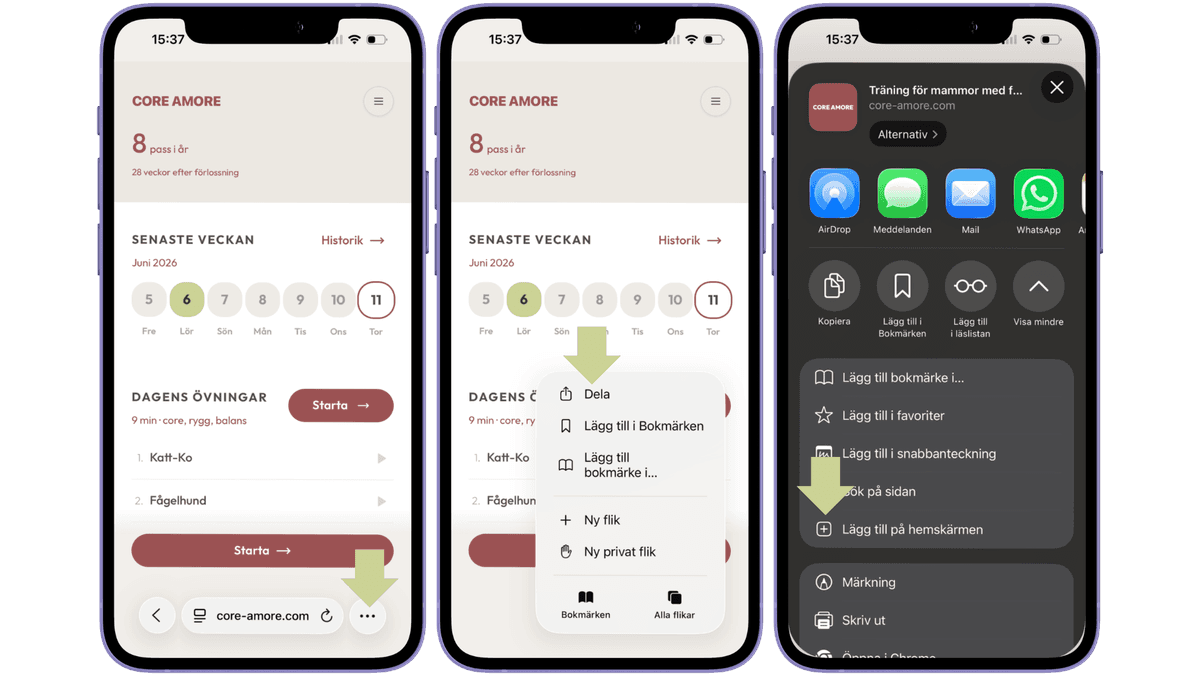
📱 On iPhone via Safari
- 1
Tap the share symbol at the bottom of your browser
- 2
Scroll down and choose "Add to Home Screen"
- 3
Tap "Add" in the top right corner
🤖 On Android via Chrome
- 1
Tap the menu icon in the top right corner of your browser
- 2
Tap "Add to Home screen" or "Install app"
- 3
Tap "Add" or "Install" to confirm